An Automation Computer is the working brain behind many modern production systems. It receives signals from sensors, processes programmed instructions, and controls machines with precise timing. In a factory, a photoelectric sensor might detect a box moving along a conveyor. The computer then tells a motor to slow down or stop. This happens repeatedly, often within milliseconds.
Its value comes from consistent decision-making. Unlike a standard office computer, it may operate near heat, dust, vibration, and electrical noise. Many systems use industrial PCs, programmable logic controllers, or embedded computers. The exact design depends on the machine, production speed, and safety requirements. That distinction matters. The term “Automation Computer” describes a broad category, not one universal device.
A typical system includes sensors, control software, communication networks, and actuators. Sensors measure temperature, position, pressure, or movement. Software interprets those measurements and compares them with programmed limits. The output may activate a valve, adjust a robot arm, or alert an operator through an HMI. Protocols such as Ethernet/IP, Modbus, and OPC UA help different devices exchange data.
Reliable operation also depends on careful testing and maintenance. Engineers inspect wiring, review alarm histories, and test emergency stops before production begins. A practical inspection can reveal a loose connector that software alone cannot detect. Still, no system is completely failure-proof. That limitation deserves honest attention. Power loss, incorrect settings, or poor sensor calibration can interrupt operations. Understanding how an Automation Computer works makes troubleshooting more structured, safer, and more informed.
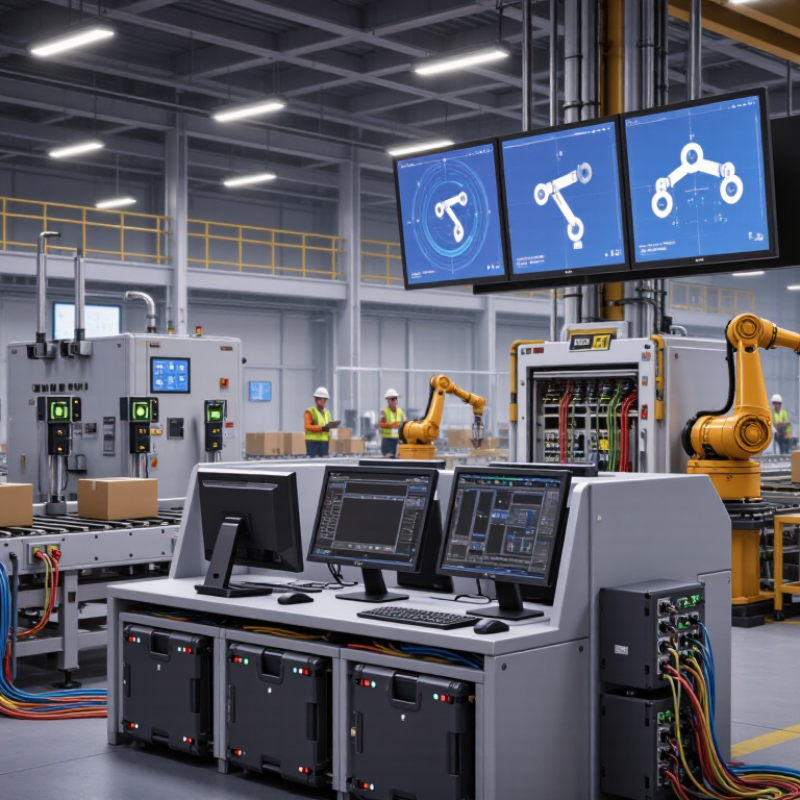
An automation computer is a dedicated system that monitors machines, processes, and operating conditions. Its core purpose is to make repeated work consistent, measurable, and safer. Instead of relying on constant manual control, it reads information from sensors and applies programmed instructions.
For example, a packaging line may use temperature, pressure, and position sensors. The automation computer collects these signals in real time. It then controls motors, valves, alarms, or other equipment through output commands. If pressure rises above a safe limit, the system can reduce flow or stop the process. Operators can view the situation on a control screen and investigate the cause.
The computer usually includes processing hardware, input and output modules, communication interfaces, and industrial software. Together, these parts form a control loop: detect, decide, and respond. This loop must work reliably, even in dust, vibration, heat, or unstable network conditions. Engineers also build in access controls, backups, testing procedures, and clear maintenance records.
It is not magic.
A well-designed system reduces errors, but it cannot remove every risk. Poor sensor placement can produce misleading data. An outdated instruction can repeat a mistake very efficiently. In practice, technicians must inspect equipment, review unusual readings, and update control logic carefully. Human judgment still matters, especially when the process behaves differently from its original design.
| Dimension | Definition or Data Point | How It Works | Practical Purpose |
|---|---|---|---|
| Basic Definition | An automation computer is an industrial computing device designed to monitor, control, and coordinate automated equipment or processes. | It receives input data, processes programmed logic, and sends control commands to connected devices. | It reduces manual intervention and enables consistent, repeatable operation. |
| Core Purpose | To execute control decisions reliably while collecting operational information. | The computer repeatedly evaluates sensor values against programmed rules or control algorithms. | It supports productivity, process stability, quality control, and operational safety. |
| Input Sources | Inputs may include temperature, pressure, position, level, speed, flow, vibration, and operator commands. | Sensors and field devices convert physical conditions into electrical or digital signals that the computer can interpret. | Accurate input data allows the system to detect conditions and make timely decisions. |
| Processing Logic | Processing logic consists of programmed instructions, sequences, timers, counters, comparisons, and control algorithms. | The processor scans inputs, runs the control program, updates outputs, and records system status in a repeating cycle. | It transforms raw measurements into actions such as starting, stopping, adjusting, or alerting. |
| Output Control | Outputs are commands sent to actuators, drives, valves, relays, motors, indicators, or other control equipment. | The computer activates or adjusts outputs according to the current process conditions and programmed rules. | It enables physical changes in the process, including movement, heating, cooling, pumping, and switching. |
| Real-Time Operation | Real-time operation means responding to process events within the time required by the application. | The system performs repeated scans and prioritizes time-sensitive tasks, alarms, and safety-related responses. | Fast, predictable responses help maintain process stability and reduce the risk of equipment damage. |
| Communication | Communication connects the automation computer with sensors, controllers, supervisory systems, databases, and maintenance tools. | Data is exchanged through wired or wireless industrial communication networks using defined protocols. | Networking supports centralized monitoring, coordinated control, diagnostics, and reporting. |
| Human-Machine Interface | A human-machine interface presents process values, equipment status, alarms, trends, and control options to operators. | Operators view data and enter authorized commands through a graphical display, panel, or supervisory application. | It improves visibility and allows people to supervise or intervene when necessary. |
| Data Logging | Data logging stores measurements, events, alarms, operating states, and selected performance indicators. | The system records time-stamped information locally or transfers it to a storage or supervisory system. | Historical data supports troubleshooting, compliance records, quality analysis, and maintenance planning. |
| Safety Functions | Safety functions monitor hazardous conditions and place equipment in a safer state when defined limits are exceeded. | Interlocks, emergency stops, permissives, alarms, and protective monitoring can prevent or limit unsafe actions. | Safety measures help protect people, equipment, materials, and the surrounding environment. |
| Reliability Requirements | Automation computers are commonly selected for continuous operation, predictable behavior, and resistance to industrial conditions. | Design features may include protected enclosures, stable operating systems, watchdog functions, diagnostics, and backup procedures. | Reliable operation reduces unplanned downtime and supports continuous process availability. |
| Typical Applications | Applications include manufacturing lines, building systems, utilities, transportation infrastructure, laboratories, and process operations. | The computer coordinates equipment according to the process sequence, operating limits, and required control strategy. | It provides a flexible control platform for repetitive, monitored, and data-driven operations. |
| Key Benefits | Common benefits include repeatability, improved monitoring, faster response, reduced manual errors, and better use of operational data. | Automation combines sensing, computation, communication, and control in an integrated operating cycle. | Organizations can improve process consistency while supporting safety, quality, efficiency, and maintenance decisions. |