Buying Laser Equipment in 2026 is less about chasing the newest machine and more about matching its capabilities to real work. The best choice depends on the materials you process, the finish you expect, and how often the machine will run. The wrong specification can mean slow jobs, rough edges, or money tied up in features you rarely use. Details matter.
Laser pioneer Theodore Maiman is often linked to this familiar line: “A laser is a solution looking for a problem.” For buyers, that is a useful caution, not a shopping rule. Start with the problem: cutting acrylic sheets, marking metal parts, engraving wood, or handling varied jobs. Then compare laser type, usable work area, power, accuracy, ventilation needs, software, service access, and running costs. A glossy demo on one material proves little about performance across your own workload.
This guide examines what to prioritize before buying in 2026, from CO₂ and fiber systems to diode machines and practical operating needs. It also considers how manufacturers describe output, what specifications can—and cannot—tell you, and which questions to ask before requesting a quote. Check independent test results where available, and verify claims against your materials. A dealer’s promise may sound convincing. Ask for a sample made with your material and settings. There is no perfect shortlist without trade-offs, and that deserves an honest look.
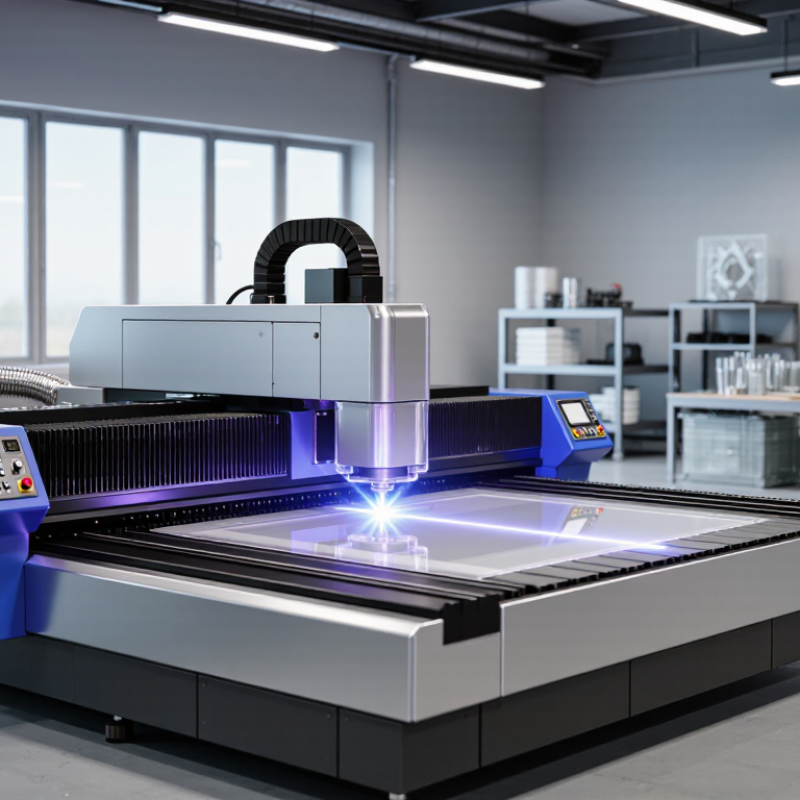
Laser equipment in 2026 spans several distinct tool types, and the right choice depends on the material and task. Fiber lasers suit metal marking and cutting, while CO2 systems are commonly used for wood, acrylic, paper, and some fabrics. Diode lasers can handle lighter engraving work, but their speed and material range may be limited. UV lasers are designed for fine marking on heat-sensitive items, where a small, crisp mark matters.
There are also laser welders and cleaning systems for specific workshop and industrial jobs. Each type has different power needs, operating costs, and safety requirements. A bright sample mark does not prove a machine will perform well across a full workday. Check the working area, rated output, compatible materials, extraction needs, and enclosure design. That matters. Wavelength affects which materials absorb the beam, so a machine suitable for one surface may perform poorly on another.
It is easy to focus on speed figures and overlook setup. I would compare test results on the exact material, not just polished demonstration pieces. Ask how often lenses or filters need attention, and whether local technical support is available. The categories can blur, especially in compact machines. A neat specification sheet may still leave practical questions unanswered. Safety glasses alone are not a substitute for proper guarding, ventilation, and training.
| Laser Equipment Type | Typical Wavelength | Best-Suited Uses | Key Strengths | Important Limitations | What to Check Before Buying |
|---|---|---|---|---|---|
| Fiber laser | Commonly around 1,064–1,080 nm | Marking, engraving, and cutting many metals; some systems are configured for plastics or other materials. | Efficient, compact systems can deliver precise processing and generally require little routine optical-path maintenance. | Standard near-infrared fiber lasers are not suitable for every material. They can be a poor choice for clear glass and some transparent or highly reflective work without the right system and process. | Confirm the material and operation, required power, work area, pulse settings, extraction needs, and whether an enclosed system is required. |
| CO₂ laser | Commonly 10.6 μm; some systems use other CO₂ wavelengths | Cutting and engraving wood, acrylic, paper, textiles, and other non-metallic materials. | Well suited to many non-metallic sheet materials and can provide a useful balance of cutting and engraving capability. | Most standard CO₂ systems do not directly cut bare metals effectively. Optics and laser tubes can need periodic alignment, cleaning, or replacement. | Check the materials list, usable bed size, exhaust and cooling requirements, expected maintenance, and whether metal processing is actually supported. |
| Diode laser | Often visible blue light around 445–455 nm; infrared models are also available | Entry-level engraving and light-duty cutting of selected woods, paper, leather, and coated materials. | Often offers a lower-cost, compact entry point for small workshops and hobby projects. | Cutting speed and material range are generally more limited than those of higher-power industrial systems. Some clear or reflective materials are difficult to process. | Verify optical output power separately from electrical input power, the actual work area, supported materials, enclosure, and filtration or exhaust provisions. |
| UV laser | Commonly 355 nm | Fine marking and micromachining on selected plastics, glass, electronics, and other heat-sensitive materials. | Short-wavelength processing can create small, detailed marks with limited heat-affected areas in suitable applications. | Usually a specialized, higher-cost option; performance depends strongly on the material, surface, and process settings. | Request sample tests using the exact material and finish. Check pulse characteristics, precision, maintenance, guarding, and service support. |
| Nd:YAG or other solid-state laser | Commonly 1,064 nm; frequency-converted versions can operate at shorter wavelengths | Metal marking, engraving, and selected industrial processing; pulsed configurations are used for applications such as spot welding. | Available in configurations suited to pulsed marking and other focused industrial tasks. | Capabilities vary substantially by laser source and configuration. The purchase may require more specialized setup and process knowledge. | Compare pulse energy, repetition rate, beam quality, cooling needs, enclosure, and compatibility with the intended production cycle. |
| Excimer laser | Ultraviolet wavelengths, commonly including 193, 248, and 308 nm | Specialized ultraviolet processing, including selected semiconductor, scientific, and medical manufacturing applications. | Can support precise UV material processing in applications that require specific wavelengths and process control. | Typically intended for specialized industrial or research settings rather than general-purpose workshop cutting or engraving. | Confirm wavelength-specific process results, facility requirements, consumables, maintenance arrangements, and operator training. |
Buying guide: There is no single best laser for every buyer. Match the laser source and wavelength to the exact materials, required process, production volume, and work area. Before purchase, request sample processing and verify enclosure, interlocks, ventilation or fume extraction, training, and applicable laser-safety requirements.